JS and Advanced HTML
Tutorial 07 Working with Dynamic Content and Styles
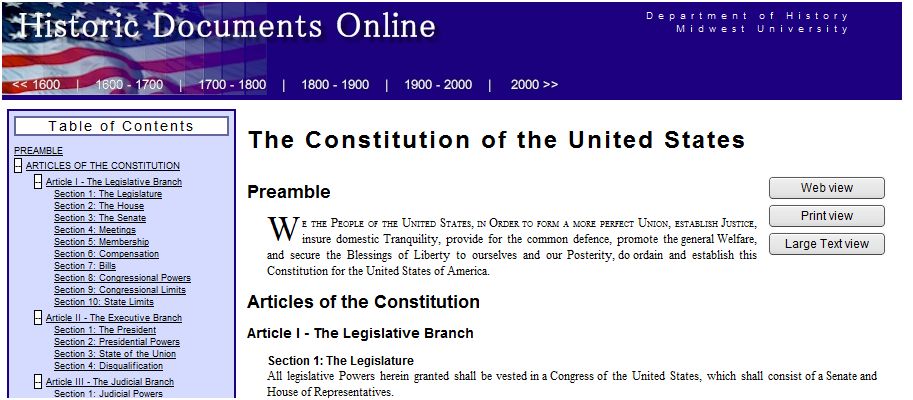
Learned how to create and manage dynamic content and styles to develop a dynamic table of contents application that could be applied to a wide variety documents.
Session 7.1how to apply the innerHTML property to insert new content into a page element. Introduced the node tree, exploring how to navigate through a node tree, create new nodes, and attach them to a Web page document. Created a list of section headings from a document.
Session 7.2 applied learnings about node properties and methods to create a nested list of section headings. Demonstrated how to work with attribute nodes and how to work with element attributes.
Session 7.3 created an expandable/collapsible document by applying the display style to elements within the dynamic table of contents and within the sample document. Discussed how to access different style sheets created for a Web page document, showing how to create a style sheet switch to enable users to select the style sheet they want to apply to the document
| Tutorial |
 |
| Case Study |
 |
| Case Study Solution |
|